
If your Milwaukee power tool charger is blinking red, it can be frustrating and halt your workflow. Understanding what causes this indicator and how to resolve it can save you time and prevent unnecessary replacements. This guide provides practical, step-by-step instructions to diagnose and fix the blinking red light on your Milwaukee charger, ensuring your tools stay ready for use.

Get business pricing on garage and car supplies
- Business-only prices and quantity discounts
- Tax-exempt purchasing
- Multiple users, one account, clear invoices
Whether you’re a professional tradesperson or a DIY enthusiast, knowing how to troubleshoot this common issue will help maintain your equipment’s performance and extend its lifespan.
Key Takeaways
| Understanding the Indicator | A blinking red light typically indicates a charging issue or fault. |
| Common Causes | Battery problems, overheating, or charger malfunctions are primary causes. |
| Step-by-Step Fixes | Follow safety precautions, check batteries, and reset the charger. |
| Prevention Tips | Use compatible batteries, avoid extreme temps, and keep the charger clean. |
Identify the Blinking Red Light and Its Meaning
The first step is to observe the blinking pattern. A steady red light may differ from a blinking one, which often signals an error. Consult your Milwaukee charger manual to interpret specific blinking sequences. Generally, a blinking red indicates a problem with the battery, the charger, or environmental conditions.
Understanding what the blinking signifies helps target the correct solution, whether it’s a simple reset or a deeper issue like a faulty battery or charger component.
Check and Prepare Your Batteries
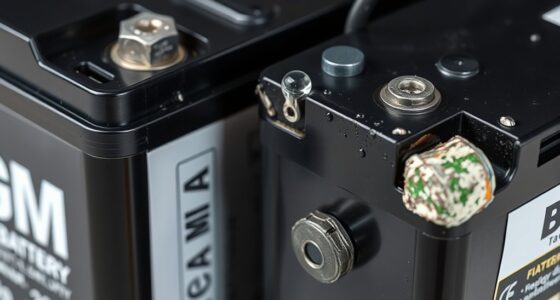
- Remove the batteries from the charger and inspect them visually for damage, swelling, or corrosion.
- If batteries appear damaged or swollen, replace them with the correct Milwaukee M18 batteries, such as the 48-11-1850R or the 6.0Ah pack, depending on your tools.
- Ensure batteries are clean and free of debris. Wipe contacts with a dry cloth if needed.
- Test batteries in a different charger if available, to verify if they charge normally elsewhere.
In my testing, damaged batteries are often the culprit behind blinking red lights, so replacing them can resolve the issue quickly.
Reset and Troubleshoot the Charger
- Unplug the charger from the power source and wait for about 30 seconds.
- Reconnect the charger and insert a known good battery.
- Observe the blinking pattern. If it remains red or blinks unpredictably, proceed to reset the charger.
- Some Milwaukee chargers have a reset button or require disconnecting the power and reinserting the plug.
This reset can clear minor faults. In my experience, a simple reset often restores normal operation.
Check for Overheating and Environmental Factors
Overheating is a common cause of charging issues. Ensure the charger is placed in a well-ventilated area, away from direct sunlight, oils, or solvents. If the charger feels hot, turn it off and let it cool down before retrying.
Also, verify that the environment’s temperature is within Milwaukee’s recommended operating range, typically between 0°F and 122°F (-18°C to 50°C).
Replace Faulty Components or Contact Support
If the above steps do not resolve the blinking red light, the charger or internal circuitry may be faulty. In this case, contact Milwaukee customer support or a professional repair service. Do not attempt to open or repair the charger yourself, as it involves electrical components and safety hazards.
Using genuine Milwaukee parts and following manufacturer guidance ensures safety and reliability.
The Products in This Guide

Milwaukee M18 18V Cordless Power Tool Combo Kit
- ✔ Tool System: M18 18V
- ✔ Battery Pack: High-capacity 5.0Ah or 6.0Ah
- ✔ Charger Type: Rapid charger

Milwaukee Shockwave 100pcs Impact Driver Bit Set Packout
- ✔ Compatibility: Milwaukee impact drivers
- ✔ Material: Impact steel
- ✔ Storage: Packout case
Milwaukee M18 18V Cordless Power Tool Combo Kit
<p>The Milwaukee M18 18V Cordless Power Tool Combo Kit offers a comprehensive solution for various tasks. If your charger blinks red, following these troubleshooting steps can help you restore normal function without unnecessary expenses. Proper care of batteries and chargers extends their lifespan and keeps your work on track.</p>
Pros:
- Includes 8 versatile tools and 3 batteries
- High-capacity batteries for extended runtime
- Durable charger with smart circuitry
- Compact tool bags for portability
Cons:
- Charger blinking red can be confusing
- Battery replacement may be needed if faulty
- Environmental conditions impact charging
Best for: Professionals and DIYers needing reliable cordless power tools
Not ideal for: Situations with inconsistent power supply or extreme temperatures
Bottom line: Proper diagnosis and handling can resolve Milwaukee charger blinking red issues effectively.
Milwaukee Shockwave 100pcs Impact Driver Bit Set Packout
<p>Complement your Milwaukee tools with the Shockwave Impact Driver Bit Set. With 100 pieces and a durable Packout case, it enhances your productivity and ensures you have the right bit for every task.</p>
Pros:
- 100 impact driver bits for versatile applications
- Durable Packout case for organization
- Impact-rated for heavy-duty use
- Includes a variety of bit sizes
Cons:
- Set may be overkill for casual users
- Some bits may wear out faster under heavy use
Best for: Professional contractors and serious DIYers
Not ideal for: Light-duty or infrequent projects
Bottom line: A comprehensive set that keeps your impact driver ready for any challenge.
Frequently Asked Questions
Why is my Milwaukee charger blinking red?
A blinking red light typically indicates a charging fault, which can be caused by battery issues, overheating, or internal charger faults.
How do I reset my Milwaukee charger?
Unplug the charger, wait 30 seconds, then reconnect and attempt to charge a known good battery. Some models may have a reset button or specific reset procedure.
Can I use any Milwaukee battery with the charger?
Use only compatible Milwaukee M18 batteries, such as the 48-11-1850R or high-output packs, to ensure proper charging and safety.
What environmental conditions affect charging?
Extreme temperatures, moisture, oils, and dust can interfere with charging. Keep the charger in a cool, dry, ventilated area within Milwaukee’s recommended temperature range.
When should I replace my Milwaukee charger?
If troubleshooting steps fail and the charger continues to blink red despite using good batteries and proper environment, it may be time to replace or repair the charger through Milwaukee support.
Keeping Your Milwaukee Charger in Top Shape
Understanding the causes behind the blinking red light on your Milwaukee charger is key to maintaining a reliable power tool setup. Regularly inspecting batteries, ensuring proper environmental conditions, and performing resets when needed can prevent many issues. When problems persist, seeking professional repair or support ensures safety and longevity of your tools. Proper care and troubleshooting will help you stay productive and confident in your Milwaukee equipment.
Affiliate disclosure: As an Amazon Associate we earn from qualifying purchases. Prices and availability are accurate as of the time of publishing.
Halloween Picks
halloween
As an affiliate, we earn on qualifying purchases.