
To safely replace your device’s battery yourself, first power down the device and disconnect it from any power source. Use proper tools and wear safety gear, handling the old battery carefully and responsibly disposing of it at a certified recycling center. Follow manufacturer instructions closely during removal and installation. Afterward, complete any registration or activation steps through the app or website mentioned in your device manual. If you continue, you’ll find detailed safety tips and step-by-step guidance to guarantee the best results.

Get business pricing on garage and car supplies
- Business-only prices and quantity discounts
- Tax-exempt purchasing
- Multiple users, one account, clear invoices
Key Takeaways
- Ensure the device is powered off and disconnected before replacing the battery to prevent hazards.
- Use proper tools and follow manufacturer instructions for safe removal and installation of the battery.
- Handle old batteries carefully, avoiding punctures, and dispose of them at certified recycling centers.
- Confirm the new battery’s compatibility and correctly connect it during installation to avoid damage.
- Register or activate the new battery via manufacturer apps or websites to optimize performance and warranty coverage.
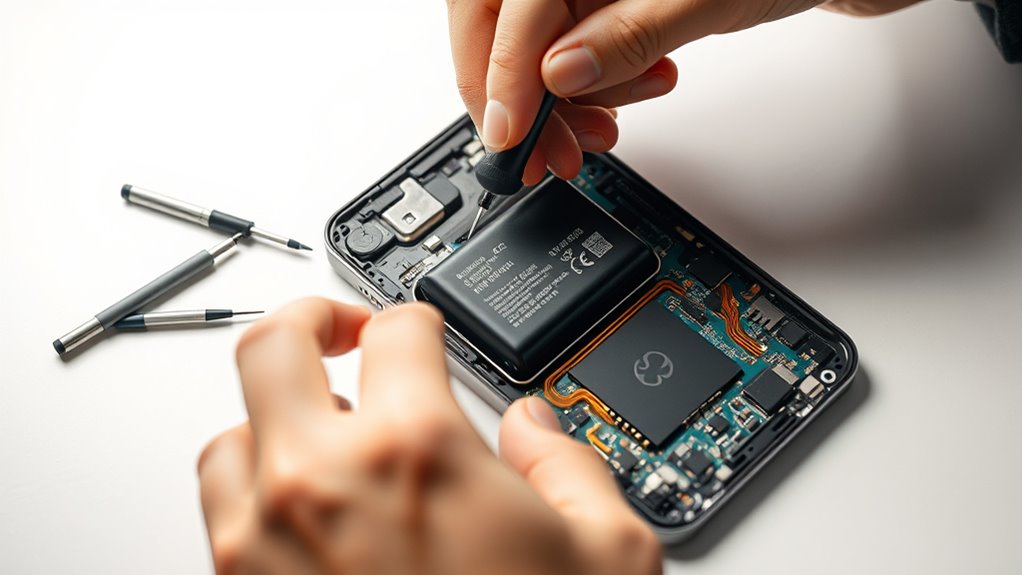
Replacing your device’s battery yourself can save money and give you a sense of accomplishment, but it requires careful preparation. Before you plunge in, it’s important to understand how to handle the old battery properly. Batteries contain hazardous materials, so proper battery recycling is essential to protect the environment and comply with local regulations. Locate a certified recycling center or drop-off point for used batteries in your area. Many electronics stores and community recycling programs accept batteries for safe disposal. Making certain you dispose of batteries responsibly not only helps the planet but also prevents potential safety hazards like leaks or fires from damaged batteries.
Safety precautions are critical throughout the replacement process. Always work in a clean, well-lit area free of clutter that could cause accidents. Use appropriate tools, such as plastic pry tools and insulated screwdrivers, to avoid damaging internal components or causing sparks. Wear safety glasses and gloves to shield your eyes and skin from any accidental contact with battery acid or debris. Before starting, power down your device completely and disconnect it from any power source. If your device has a removable battery, carefully lift it out without puncturing or bending it, which could lead to leaks or fires. For non-removable batteries, follow the manufacturer’s instructions precisely, avoiding excessive force.
Handling the old battery with care is crucial. If you notice swelling, leaks, or corrosion, handle it with extra caution and place it in a non-conductive, sealed container. Never throw batteries in the trash, as they can cause fires or environmental damage. Instead, bring them to a designated battery recycling station. When installing the new battery, double-check compatibility and align connectors carefully. Once installed, power on your device to verify it functions correctly. Additionally, air purifier filters should be checked regularly to ensure optimal performance and air quality.
Handle old batteries carefully; avoid trash disposal and use designated recycling stations before installing new batteries.
After completing the replacement, some devices require registration or activation steps to optimize battery performance or warranty coverage. Follow the manufacturer’s instructions for registering your new battery, either via a dedicated app, website, or device settings. Proper registration can help you track battery health, receive updates, and access customer support if needed. Taking these extra steps guarantees your device operates efficiently, prolongs battery life, and maintains warranty coverage.
DIY smartphone battery replacement tools
As an affiliate, we earn on qualifying purchases.
As an affiliate, we earn on qualifying purchases.
Frequently Asked Questions
How Often Should I Replace My Vehicle’s Battery?
You should replace your vehicle’s battery every 3 to 5 years, depending on its battery lifespan and signs of failure. Keep an eye out for slow engine starts, dimming headlights, or a check engine light, which indicate it’s time for a replacement. Regularly testing your battery can help you catch issues early. Replacing it on schedule ensures your vehicle runs smoothly and avoids unexpected breakdowns.
Can I Upgrade to a Higher Capacity Battery?
You can upgrade to a higher capacity battery if your vehicle’s system supports it, and it’s a coincidence that your current battery is nearing its limit. Check your car’s manual for compatible upgrade options and verify the battery capacity matches your vehicle’s electrical demands. This upgrade can improve starting power and longevity, but be cautious—using an incompatible battery may cause electrical issues. Always consult a professional if unsure about the upgrade options.
What Precautions Should I Take During Battery Replacement?
When replacing a battery, always wear safety gear like gloves and goggles to protect against acid spills and electrical sparks. Handle the battery carefully, avoiding contact with acids, which can cause burns. Disconnect the negative terminal first to prevent short circuits, and keep tools insulated. Work in a well-ventilated area to avoid fumes, and dispose of old batteries responsibly. Taking these precautions guarantees your safety during the process.
How Do I Dispose of an Old Car Battery Properly?
Ever wondered how to dispose of an old car battery responsibly? You should take it to a recycling program or a designated hazardous waste collection site. Don’t toss it in the trash, as batteries contain harmful chemicals that can pollute the environment. Many auto parts stores and recycling centers accept used batteries free of charge. Proper disposal guarantees hazardous waste is handled safely.
Will Replacing My Battery Affect My Vehicle’s Warranty?
Replacing your car battery won’t necessarily affect your warranty coverage if you do it correctly. However, if you damage your vehicle during replacement or cause battery corrosion, it could impact your warranty. To stay safe, follow the manufacturer’s guidelines and keep documentation. Proper installation reduces risks, and addressing any battery corrosion promptly helps maintain your warranty coverage, ensuring your vehicle remains protected.
Conclusion
Replacing your car battery yourself is like learning to ride a bike — it might seem tricky at first, but once you get the hang of it, it becomes second nature. With the right tools and careful steps, you can save time and money while gaining confidence in your skills. Just remember to register your new battery properly, and you’ll be cruising smoothly down the road in no time. You’ve got this—happy DIYing!
Evergreen bestsellers Picks
bestsellers
As an affiliate, we earn on qualifying purchases.