
If your DEWALT power tool isn’t charging despite being connected properly, it can be frustrating. Several common issues can cause this, from battery problems to charger faults. This guide provides clear, safe steps to diagnose and fix charging issues with your DEWALT tools, so you can get back to work quickly.

Get business pricing on garage and car supplies
- Business-only prices and quantity discounts
- Tax-exempt purchasing
- Multiple users, one account, clear invoices
Key Takeaways
| Battery health | A worn-out or damaged battery is a common cause of charging issues. |
| Charger functionality | A faulty charger can prevent your battery from charging properly. |
| Connection checks | Loose or dirty contacts can interrupt charging. |
| Temperature considerations | Extreme temperatures can affect battery charging performance. |
| Use genuine parts | Always use authentic DEWALT batteries and chargers for reliable results. |
Step 1: Inspect the Battery
- Remove the battery from the tool and examine for visible damage like cracks, corrosion, or leaks.
- If the battery appears damaged, replace it with a new one.
- Check the battery’s contacts for dirt or debris and clean gently with a dry cloth.
Step 2: Test the Charger
- Connect the charger to a known working power outlet.
- Insert the battery fully into the charger and observe the indicator lights.
- If the charger does not show charging activity (no lights or error signals), try using a different compatible DEWALT charger.
Step 3: Check Connection and Contacts
Ensure that the battery and charger contacts are clean and free of debris. Dirty contacts can prevent proper charging. Gently clean with a dry, soft cloth and reinsert.
Step 4: Verify Temperature and Environment
Ensure the battery is not exposed to extreme cold or heat, as this can interfere with charging. Allow the battery to reach room temperature before trying to charge again.
Step 5: Test with a Known Good Battery
If possible, test your charger with a different, compatible DEWALT battery. If that charges normally, your original battery may need replacement. If not, the problem likely lies with the charger or the tool’s circuitry.
The Products in This Guide

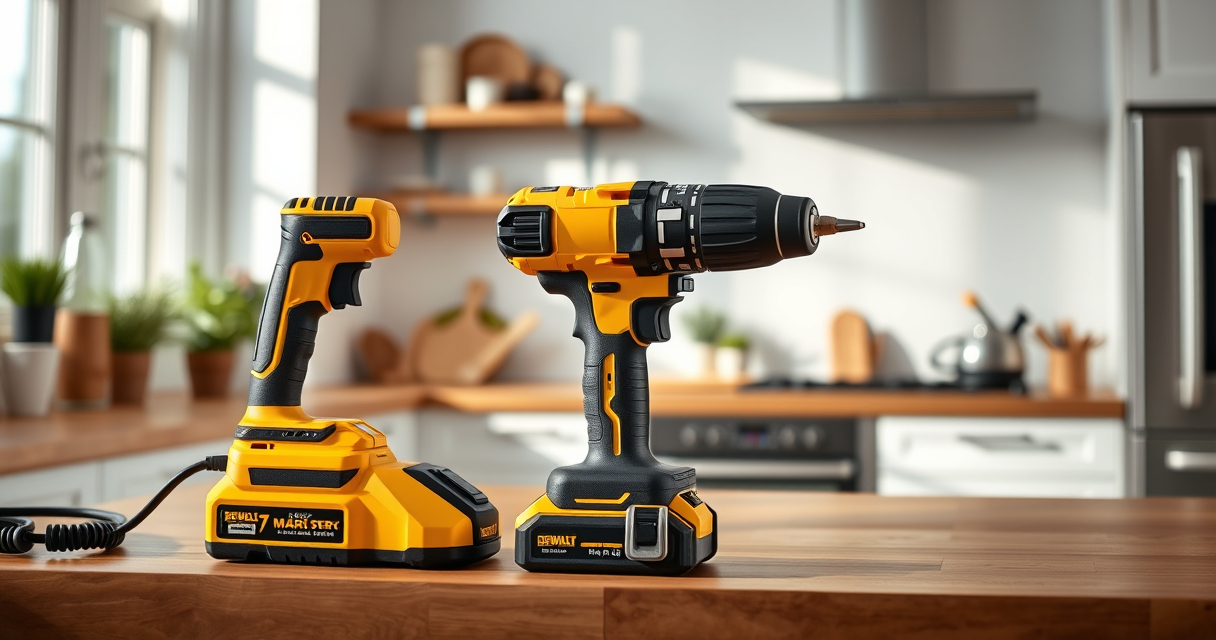
DEWALT 20V MAX Cordless Drill Driver Set
- ✔ Weight: 3.3 lbs
- ✔ Chuck size: 1/2 inch
- ✔ Speed: 2 speeds

DEWALT Drill Bit Set
- ✔ Set size: 14 pieces
- ✔ Tip design: Split point
- ✔ Coating: Black and gold
DEWALT 20V MAX Cordless Drill Driver Set
The DEWALT 20V MAX Cordless Drill Driver Set is a compact, lightweight tool with a brushless motor that delivers more run time. Its ergonomic design and LED light make it ideal for tight spaces and low-light conditions. When troubleshooting charging issues, it’s important to verify the battery and charger conditions first.
Pros:
- Brushless motor for increased efficiency
- Lightweight and ergonomic design
- LED work light for dim areas
- Includes 2.0 Ah battery and charger
Cons:
- Battery may need replacement over time
- Charger can malfunction if not maintained
- Limited to 20V system
Best for: Home improvement, DIY projects, light to medium professional work
Not ideal for: Heavy-duty industrial applications requiring larger batteries
Bottom line: A versatile, reliable drill that benefits from proper maintenance of its battery and charger.
DEWALT Drill Bit Set
The DEWALT Drill Bit Set offers high-quality bits designed for durability and precision. Ideal for use with your DEWALT drill, this set enhances your ability to tackle different materials effectively.
Pros:
- High-speed steel construction
- Split point tips reduce walking
- Suitable for plastic, wood, and metal
- Corrosion-resistant coating
Cons:
- Limited to specific bit sizes
- Requires proper storage to avoid loss
- Not suitable for heavy industrial use
Best for: Home repairs, hobby projects, light professional work
Not ideal for: Heavy-duty drilling in tough materials
Bottom line: A reliable set of drill bits to expand your DEWALT tool kit.
Frequently Asked Questions
Why isn’t my DEWALT battery charging?
Common reasons include a damaged battery, faulty charger, dirty contacts, or environmental issues like extreme temperatures. Follow the troubleshooting steps to identify the cause.
How can I tell if my battery is worn out?
If your battery no longer holds a charge or the runtime has significantly decreased, it may be time for a replacement. Testing with a known good charger can help confirm this.
Can I use non-DEWALT chargers with my batteries?
It is strongly recommended to use genuine DEWALT chargers to ensure safety and compatibility. Using incompatible chargers can damage the battery or pose safety risks.
What temperature should I keep my batteries at?
Batteries perform best at room temperature. Avoid charging or storing batteries in extreme cold or heat, as this can impair their ability to charge or cause damage.
Getting Your DEWALT Power Tool Charging Again
By following these troubleshooting steps, you can often resolve common charging issues with your DEWALT power tools. Remember to always handle batteries and chargers carefully, keep contacts clean, and avoid extreme temperatures. If problems persist, consider replacing the battery or charger to restore optimal performance, ensuring your tools remain reliable and safe to use.
Affiliate disclosure: As an Amazon Associate we earn from qualifying purchases. Prices and availability are accurate as of the time of publishing.
Fall Picks
fall essentials
As an affiliate, we earn on qualifying purchases.